
It’s easy to submit a Custom Removal Request from your Dashboard!** **However, not all companies are classified as Data Brokers and People Search Sites. For those that aren’t, Privacy Bee allows you to submit a Custom Removal Request, so our team can handle it on your behalf.
Here’s how:
- Go to the Data Brokers page on the left navigation bar.
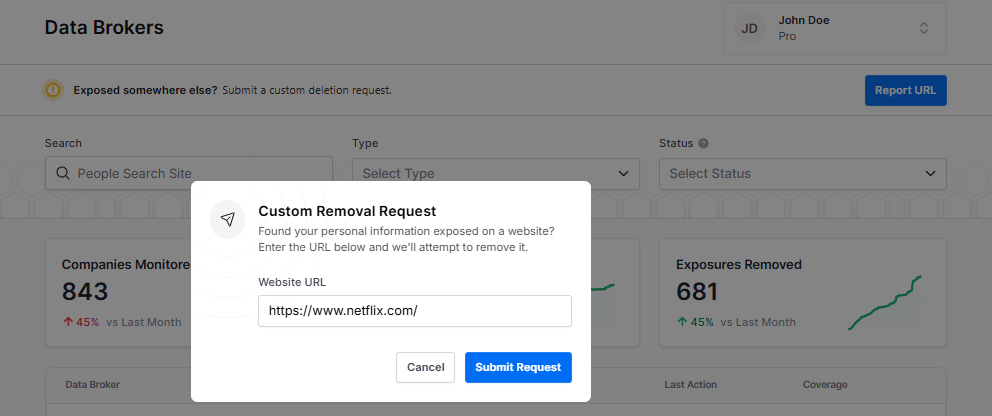
- Click the “Report URL” button in the upper-left corner.
- Enter the website URL.
- Select the blue "Submit Request" button.
| The blue “Report URL” button can be used for Custom Deletion Requests and to report an exposure on Data Broker and People Search Sites. You can submit the website URL or the URL displaying your personal information.
The example screenshots below use Netflix for illustration purposes only.
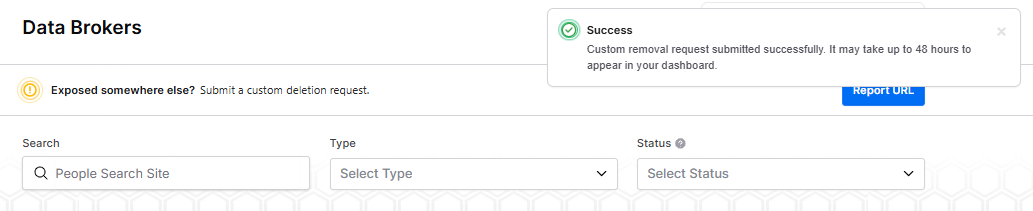
| Once submitted, our Global Response Team will take care of the deletion request for you as part of your active License.